Sunday, December 23, 2007

3, 2, 1... GO!


My Christmas break has just started this morning, when I woke up at 5:00 AM to leave to the country side to spend Christmas.
I hope you all have been good kids so that Santa will drop by with nice gifts and lots, lots of sweets!

Meeeeeeeeery Christmas!

Saturday, December 8, 2007

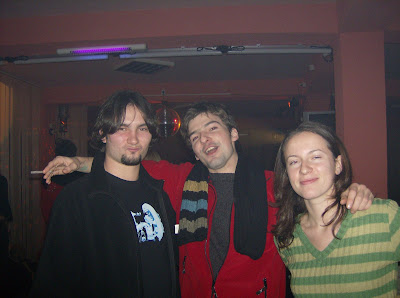
XWiki Iaşi team @ Durău


The last weekend we gathered 'all' the XWiki Iaşi team to go to the mountains, as some sort of goodbye party for JV who left Iaşi this week. Well, 'all' the XWiki team meant, after all, without Marius (who had some school assignments he had to finish until monday) and without Evelina & Cristi who also had some school deadline changed to monday without notice. Finally, the XWiki team was: me, Raluca, Jerome and Jean-Vincent (JV for short) and Petru (who is a xwikier only 'by association').
Friday afternoon was shopping afternoon ('Let's go to the mall, today!'): after a tough negotiation for boots (J and JV wanted the same shoes and are the same size but there weren't 2 pairs available in the shop), and a 'girlie-girl' shopping style from me (3-4-5-6 shops but no boots for me to like :D) we deviced the next day's wake-up plan and went home.
Saturday morning we left Iaşi at 6:00 am and, after a 'niiiiice' 3 hours trip and some sleep (only for some of us) we arrived in Durău: nice fresh air smell and some snow here-and-there. We checked in at the hotel, grabbed something fast to eat and then left for the trip to Fântânele.


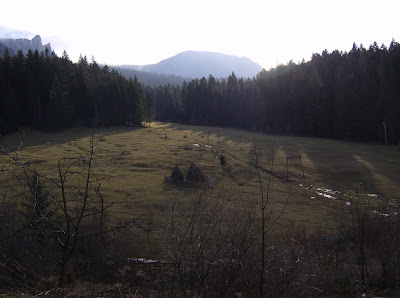
From XWiki @ Durău

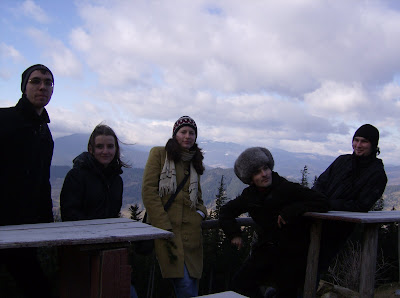
Once we got there, we had a cup of hot wine, took some pictures with the nice view and, despite the original plan to get to Fântânele, drink, and then return to Durău, decided to go further until we can see the "Izvorul Muntelui" lake and then return.


From XWiki @ Durau

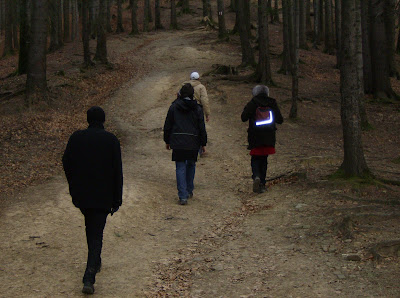
A kind caban dog lead the way towards Dochia caban: he went on and, when we stopped it stopped and returned to see if we all are OK. At 'La morminte' (around 1300m altitude), the path started to be snowy: it was not dangerous (yet) but still, it was a sign that we cannot go further without proper equipment. We went a little further to see the lake, took pictures (to testify that we indeed were there), Raluca gave her share of food to the dog (who was clearly planning to continue the path to Dochia) and then returned to 'La Morminte'. There we had a nice picnic below 0 degrees Celsius with bread and french camembert. We continued our trip back to Durău through Fântânele and then through 'Poiana Viezuri'. In Durău, we had a romanian dinner with 'Tochitura Moldoveneasca' and red wine at the hotel and a very 'personal' interpretation of some famous international songs from the guy at the keyboard in the hotel restaurant.
Although some of us were very sleepy, the night continued with a delightful cards game, romanian Whist and, upon Raluca's request -- who was tempted by the music she heard from outside, with a visit to the 'disco'. And when I say visit, I mean visit, i.e. 30 minutes. The 'disco' was actually a lame 'village club' (you know the kind of club I'm talking about), which made the visit 2 times more fun!


From XWiki @ Durau

The next day, we were supposed to wake up at 6 o'clock so that we can go to 'Duruitoarea' waterfall too. Of course, I only woke up to make a couple of calls to the others and agree that it is better to sleep on and see more about it later, when everybody was up. At 10, we talked about staying some more and leaving Durău in the evening but the unavailability of the bus seats in the evening ruined our plans. The trip ended with a walk around Durău, a visit to the monastery and some more pictures of the surroundings.


From XWiki @ Durau

The trip back was 'spectacular', as usual in Romanian buses (I really need to buy a car!): a lot of people going in and out of the bus, the driver's stops for each one of them, loud conversations, people crushing into each other to fit the size of the bus, and the eternal travelers that know that the bus might be too crowded but never, ever make reservations, etc, etc.
All in all it was a successful outing, and until the next one, we will enjoy the pictures:

Tuesday, November 27, 2007

The book has appeared!


The "Web 2.0 programming" book is now ready to be released in shops: yesterday I have seen (touched and smelled) the final and printed version of the book. The Polirom publishing house has done a great job after all and the result is one we can be proud of. In the book you can read:


  • Andrei Mihaila's chapter about load balancing in web clusters


  • Sabin Buraga's chapter about JavaScript programming. Sabin is also the coordinator of the volume, i.e. the one that 'directed' the whole process of writing and publishing the book.


  • Ciprian Amariei and Andreea Pantescu's chapter on collaborative code review


  • My chapter on web recommendations using microformats


  • Cati (Ecaterina Valica)'s great chapter on mashup applications


You can find more details about the book either on the blog dedicated to the book (where you will be able to comunicate with the authors and the other readers), on the presentation page of the book, or on the polirom website.

Saturday, November 17, 2007

What have I been doing in the past few months?


Yes, it's been a long break and, as you already assume, here comes a (long) post with a bulleted list of all that happened in the mean time and deserves to be mentioned:


  • First of all (I've been trying to write this for a while now) I started working for XWiki Iasi. We are a team of 9 people but only 7 of us are in Iasi and only 5 of us are Iasi employees: Sergiu and Marta are in France for studies, Jerome and Jean-Vincent are employees from the Paris office that came in Iasi to help setup the team here. The romanian team is made of: Evelina, Raluca, Cristi, Marius and me, closely collaborating with the big french team in Paris.
    I must mention that this is my first job and I'm learning things as they happen: the development process of a big project, the teamwork, the communication, the skills, getting used to "doing only one thing" (as opposed to school where I was doing a different thing everyday, writing code in 3 different programming languages at the same time, learning and trying new technologies, banging the head against the wall for all these reasons but enjoying every minute of it). Still, XWiki is a nice place to do "more-than-one-thing": there are various areas where you can spread your work if you want and creativity is encouraged.
    We also had a nice XWiki Iasi launch party in october where we invited a lot of friends (some pictures can be found on picasaweb).
    I also learned that cultural barriers are no barriers at all and all it takes is just a little time to get used... (a subject that deserves a post of its own...)


  • Second of all, I started the master courses at infoiasi that compensate the "doing-only-one-thing" at work. Not too many opinions on this yet, besides the shock that, after trying for 2 years (the final years) to teach us how to write code and how to look at things from the practical side, they are now going back to the theoretical side (that gave us nightmares in the first 2 years at the faculty) and expect us to understand everything and agree... I know, it is supposed to be like that and it is OUR job to put the two together, etc, etc, but it is a little hard to bear anyway...


  • Third, I started my classes at the faculty: I am teaching web technologies laboratories to the fourth year students. This whole "getting on the other side" experience is very interesting on its own and deserves a full post, too (maybe I'll do it, just maybe). I can say that I am having a lot of fun teaching, although you should probably get some opinions from my students too...


  • Fourth of all, I wrote a chapter about web recommendations using microformats embedded data for the "Web 2.0 Programming" book (in Romanian) to appear at Polirom. While doing this, I finally finalized the Java Firefox extension example that I talked about in the last post, realized that it's incredibly hard to talk about some things you are very familiar with while trying to be clear enough and explain that stuff to someone who potentially does not know a thing about them, and also learned how valuable good feedback is! The blog dedicated to the book is at http://webpro20.blogspot.com/, designated for communication with the readers of the book, so feel free!


Thursday, October 11, 2007

Java Firefox Extension


I know, you won't find this as the first search result on Google, but anyway...

Because I promised some (many) posts ago and because recently I found the time to create a decent example (actually, I HAD to find the time), here's the long waited demo of a Java Firefox extension, i. e. Firefox extension that uses Java code. I first got this idea from Simile's Piggybank extension, and then I got their example from http://simile.mit.edu/wiki/Java_Firefox_Extension. I found that to be quite complicated so I created a new one, simpler (and optimized in some points) and, I think, easier to understand.
I assume you are familiar with the Firefox extension development. If you're not, have a look at http://developer.mozilla.org/en/docs/Extensions.
What we already have in Firefox:


  • LiveConnect

  • that allows us to connect to Java code from javascript code. We can write stuff like var x = new java.lang.String("test") and x will hold a reference to a Java object. We can then call all x's functions from javascript and get the results back. We can not send javascript objects other than numbers (integer, double), strings and arrays to Java. I mean, we can, but we'll get a JSObject object which is kind of empty and useless (no functions, no members).


  • XPCOM

  • that allows us to build a COM-like component for Firefox, platform independent (because it is written in javascript).


We will create a XPCOM component that will use LiveConnect to get to the Java code.

Why can't we do it only with LiveConnect? Because XPCOM allows a single instantiation of the component through all the browser instances (shared). Now you decide for yourself why you might need that (I personally needed it because I had some native libraries loaded by the Java code and I had to be sure that happenned only once since I would get an error otherwise).
And it's pretty cool to learn how to do both the Java access and the XPCOM.
Now get the code from this temporary deposit (change extension in xpi and drag it to a Firefox window to install) and follow me:
Any XPCOM component must implement an interface, at least nsISupports, which is the most general so that it can be managed by the Firefox component manager. The trick is that we don't need any function from the interface, we will get the javascript object that implements the interface and call its functions, so we should implement an interface with no functions at all -- we can create our own (like simile's example does) and go through all the mess of compiling the idl file in a xpt interface definition file or we can simply implement nsISupports.
Once that is done (see the GreeterComponent.js file in /components) we can simply call:


Components.classes["@lucaa.students.info.uaic.ro/je-greeter;1"]
.getService(Components.interfaces.nsISupports);

to get an instance to our component ("@lucaa.students.info.uaic.ro/je-greeter;1" is the component's contract id, specified in the implementation).

But what's the trick to access the Java code? One might say that we have LiveConnect's java object and that is enough. Well, not quite, since our own classes ar not loaded and we can not access them. We need to load them dynamically through our own class loader (this is done by the component upon initialization):

var greeterURL = new this._java.io.File(greeterJarLocation.path).toURL();
//create the classLoader
var classLoader = new this._java.net.URLClassLoader([greeterURL]);
//get an instance of the GreetingGenerator through reflection
var greetingGeneratorClass = this._java.lang.Class.forName(
"ro.uaic.info.students.lucaa.je.GreetingGenerator",
true, classLoader);
this._greeter = greetingGeneratorClass.newInstance();

Then, the call to the java functions of the GreetingGenerator can be simply done through:

this._greeter.generateGreeting()

Remember that the java LiveConnect object is not provided by default to the components environment and we must pass it from the calling code, upon initializing the wrappedJSObject of the component:

//get a component
var greetComponent = Components.classes["@lucaa.students.info.uaic.ro/je-greeter;1"]
.getService(Components.interfaces.nsISupports);
//initialize the wrappedJSObject
greetComponent.wrappedJSObject.initialize(java, true);

In the example, the GreetingGenerator class in Java holds a counter incremented by each call to the generateGreeting function. Go to the Tools menu, the "Greet!" menu item and get your greeting. Now open a new browser instance and do the same. The counter goes on, as a sign that it's the exact same object called.

Starting from this, you can do all sorts of stuff: you've just created yourself an unique entrypoint in the Java code, making sure that if you have configurations to set up, servers to start, etc, etc, those will happen exactly once.

Happy coding!

Thursday, September 6, 2007

Please, don't send me .doc attachments!


.doc as in Microsoft Word's proprietary format file

I know, thousands of MBytes have been written on this subject, but
beside the fact that it's a proprietary format and all those points that I support:


  • Microsoft Word documents cannot always be read by other word processors.


  • Documents produced with one version of Microsoft Word cannot always be read by other versions of Microsoft Word.


  • Microsoft Word documents are not guaranteed to look and print the same way on every computer and printer.


  • Microsoft Word documents are extremely large compared to other file formats.


  • Sending Microsoft Word files can violate your privacy.


  • Microsoft Word files are a security hazard.


I'd like to highlight one more aspect: if it's not a DOCUMENT then you should not send it as an attachment at all: just copy the bloody text in the email body. Or, at least, attach it as a text file that most email readers can parse and print in the email body.
Why am I so mad?
I received, a few hours ago, a simple table (1 page long) where I had to lookup my name and confirm some data written there. But guess what, it was an attached .doc instead of plain csv in the email message. And I had to go through all the mess of downloading it and opening the editor to read it.
I also received announcements (like "some papers are due until day x, 12:00 PM") in .doc attachments, or even empty emails that gave no sign about their purpose until you opened the attached .doc.
I cannot see the rationale behind these kind of actions: I mean, I know, it was probably easier for that person to attach the .doc she created for HER OWN PURPOSE then re-format that for the rest of the world, but you don't speak your native language that the other one does not understand just because it's easier FOR YOU. If you knew what you are doing and still did it for YOUR OWN COMFORT then you're a stupid lazy bastard and you fully deserve my eternal hate!
I can't imagine that people that send .doc attachments don't now that:


  • it is so damn annoying to have to download things (where to store it (damn, the desktop is full)? oh, and now I have to wait for that to download?, etc, etc)


  • the office editor (either MS's or OpenOffice) takes some time to load and this gets really annoying if you have some other applications running (you must now this, don't you?)


Imagine how much time this takes compared to just reading a piece of text in an email! I'd probably ignore that email if it didn't concern me too, and this is actually what you were counting on, isn't it? You devil! The next time I will send the response in hexa, because it concerns you and you're the one responsible of reading it and making communication between us possible!

For all these reasons,
PLEASE, DON'T SEND .DOC ATTACHMENTS!

Wednesday, August 22, 2007

What's the time, Mr. Google?


"Whatever you want, kido!"


These days my computer's clock has gone mad: it shows a chaotic time, all the time, always behind (sometimes even with a couple of days gap). I set it and, after an hour or so, it goes wild again. While this is not a problem in Ubuntu (I just set the time to synchronize with a time server, namely the ubuntu time server), it is causing me a lot of trouble in Windows, because synchronizing it with a time server just returns an error or smth. The manual says that I should check the address of the time server: well, I'm using their default server list (but maybe this is the problem ;), actually).


Anyway, for some activities I am stuck in Windows: e.g. writing a damn .doc file with various ms fonts that render veeery strange on Linux, playing World of Warcraft (but I really don't care that much what's the windows system time when I'm defending the Alliance :P ) and so was the case this morning (the .doc file, not the WoW!!) when I realized that the only time-showing-devices I own are my computer and my cell phone. The first was down, the other one too far away, so I decided to ask Google, because that's why I Google, isn't it? Guess what, the wonderful time-depending gadgets on the iGoogle page actually display your own system time, so never use them as reference. I wonder now if this is good or bad... I mean, for me it was obviously bad, but I wonder if someone benefits from this, EVER: maybe the guys at Google didn't find a reliable time server, maybe they didn't get it from an internet source because then you would need to change the iGoogle time zone setting every time you travel (though I'm pretty sure it's not that hard to find out where is one accessing the page from), or maybe some people like to set their computer clocks to lie to them and want the whole world to consent.